Monday, 27 April 2015

Download DirectX Offline Installer for PC and Laptop Windows XP 7 8

Posted by Unknown
Download DirectX Offline Installer for PC : DirectX is large collection of APIS which are programming interfaces for different applications. It can be used to handle different problems and easily run Multimedia content, Enrich gaming performance and bring better graphic visibility. It is especially used for better gaming experience and graphic on Windows OS platform. New versions are capable of handling large content elements due to HLSL- High level shared language. You can use it to bring spectrum color graphics, 3-D animations and more rich audio media. It is available for free to download and meet user requirements. You can download it and install on your Windows OS to bring an change. You can get better visual effects sounds, graphics and you can run many latest games using it. You will have to upgrade the version to run high level games in upcoming times.
Download DirectX Offline Installer for PC and Laptop

Download DirectX Offline Installer for PC

Download DirectX version 9, 11, 11.2

DirectX is a software which helps and configures windows to run different multimedia enriched content easily. It might be 3D construction, better graphics, gaming and better audio too. It is a must have software for all computer nerds who want to play high quality games and much more. I will show you how to download the DirectX standalone installer which is offline installer. You won't need Internet to install this pack later on after download.
Download DirectX Offline Installer for PC
  • So first you will have to go to Filehippo.com
  • Then search for " DirectX" using their search bar and click enter
  • Now select the latest version from corresponding results and click on it
  • After that download and save it on your PC
  • Now you have successfully downloaded DirectX standalone offline installer for PC
Also See : Download Super Smash Flash

    Download DirectX Offline Installer Version 9 :

    Most of the sites do not have the latest version of DirectX in standalone installer mode. So, I have collected all latest version offline installer with their download links. Just download and follow below installation steps carefully.
    • Download DirectX 11.2 offline installer from here
    • Download DirectX 11 offline installer from here
    • Download DirectX 9 offline installer from here

    Install DirectX Offline Installer  DirectX standalone Mode Installation Process

    After downloading the version of DirectX you like you can proceed towards installation process.
    Download DirectX Offline Installer for PC
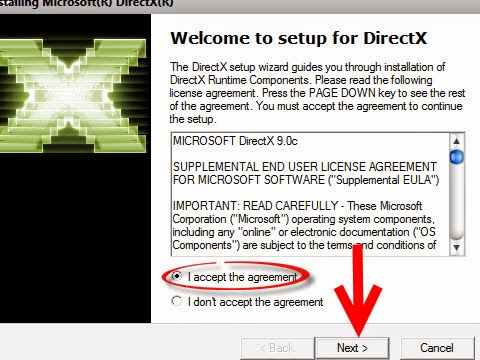
    • First you have to open the setup installer by double click on downloaded file
    • Then you have to click on " Next" button and select the installation directory to install it
    • After that follow on screen steps and wait till it is installed completely
    • Now you have successfully installed DirectX latest version through offline installer on PC!
    After installing it you can see a change in your computer graphic performance when running different applications and games. Sometimes directX might give your error regarding missing "dll" files. You can download that file from online and save it in your DirectX installation directory.
    Thanks for reading this post and share it with our friends. If you have doubts then please post them in below comment section.
    Saturday, 25 April 2015

    Download Adobe Flash Player Offline Installer for PC Windows XP 7 8.1 [ 32 and 64 Bit ]

    Posted by Unknown
    Download Adobe Flash Player : Hello guys today I am going share how to download Adobe Flash Player latest version offline installer.Adobe has risen to a great position proving freemium features and services to its users in modern media. It create a stage for 3D graphics which provide you blazing fast cinematic views both in 2D and 3D during gaming and Videos. It can be installed on various browsers and different operating system. Only player which has made the Internet much faster while you browser different JavaScript enabled websites, Video streaming and playing sites, content filled. You can view and play games at high response timing now and share memory. You can also protect our Video content using Adobe flash. It supports different models such as Videos, Live, HD subscription and sell.

    Download Adobe Flash Player Offline Installer for PC

    Download Adobe Flash Player
    Adose Flash player is released for Windows , MAC and Linux operating platforms. It was released for Android but was later discontinued for some reasons.
    You can use both Offline and Online Installer to install and run adobe flash players but we you are out of Inter access. You can use the Flash player.exe files and run it on your OS easily. I will be showing you how to download and Install adobe flash player offline installer on all three OS.
    Also See : Download Super Smash Flash

    Download and Install Adobe Flash Player Offline Installer 

    Adobe Flash player was firstly released for Windows and then it was made available for other OS. I will show you how you may download and run the latest Adobe flash player on your PC. Please follow my below steps carefully.
    Download Adobe Flash Player
    • First you have to go to Adobe Flash player Offline Installer page from here
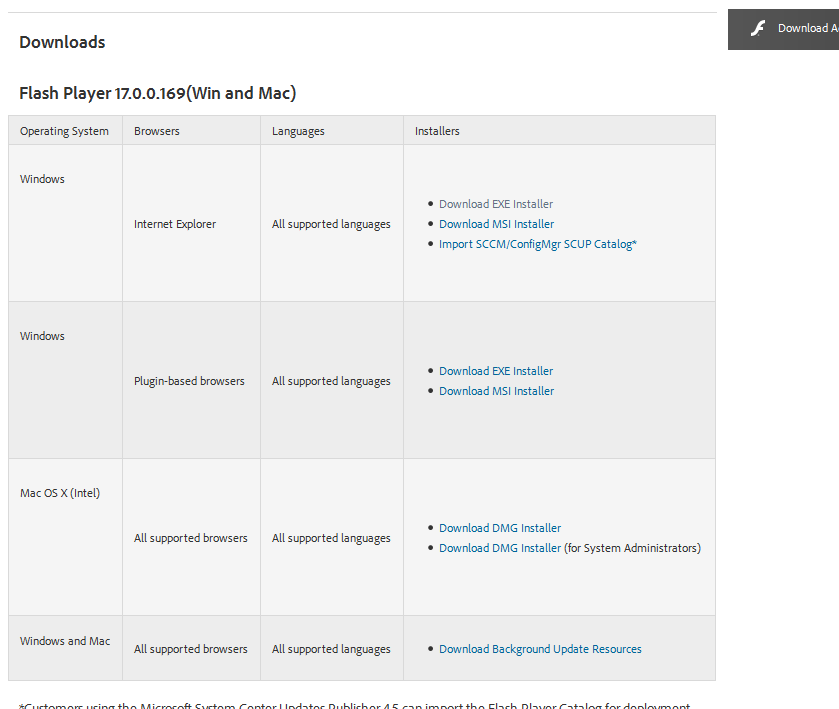
    • Then scroll below to select the version you want to download, I will select the latest Flash player 17.0.0.169 version 
    • Now under it select the OS as Windows and click on Download EXE Installer (as shown in below image)
    • Then save the install_flash_player_17_active_x.exe on your computer 
    • After that run the installer and follow on screen steps carefully 
    • Wait till the installation is completed on your PC
    • Then after Installation is done, you have successfully installed Flash player on PC
    Must See : Download Silverlight Offline Installer for PC

      Download and Install Adobe Flash Player Offline Installer on MAC 

      Flash player can also be used on MAC OS X b following below steps.
      Download Adobe Flash Player
      • First you will have to go to Adobe flash player offline installer MAC OS page from here
      • Now select MAC OS X and click on "Download DMG Installer"
      • Next save the .Exe file and then run it to start installation
      • Then the player will start to install and wait for some time now
      • Finally the Flash player will be successfully installed on MAC OS X

      How to Download Adobe Flash Player Offline Installer on Linux OS (32 & 64 Bit)

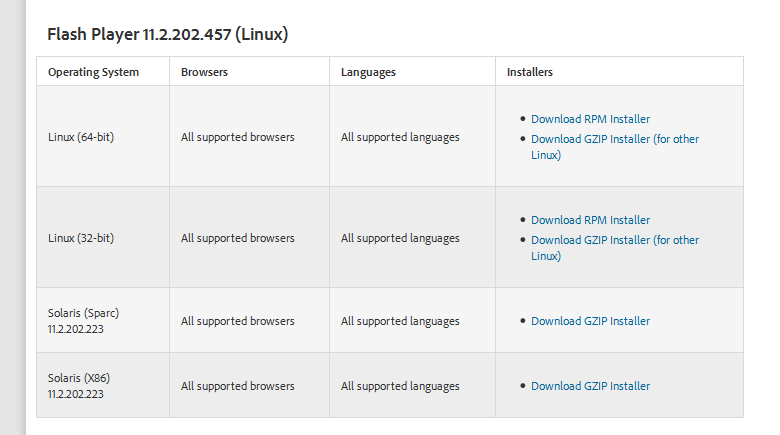
      Adobe has not yet released the latest version of Flash Player for Linux but you can still get the previous version following below steps.
      • You have to go to Adobe flash player offline installer page from here
      • Then move towards Flash Player 11.2.202.457 (Linux) and select any bit ( Either 32 or 64 bit)
      • After that click on " Download RPM Installer" and save the .exe file on your Linux OS
      • Later you can run and setup Flash Player on our OS successfully

      Thursday, 23 April 2015

      Download Super Smash Flash 2 Game for PC - Windows XP 7 8 MAC and Linux

      Posted by Unknown
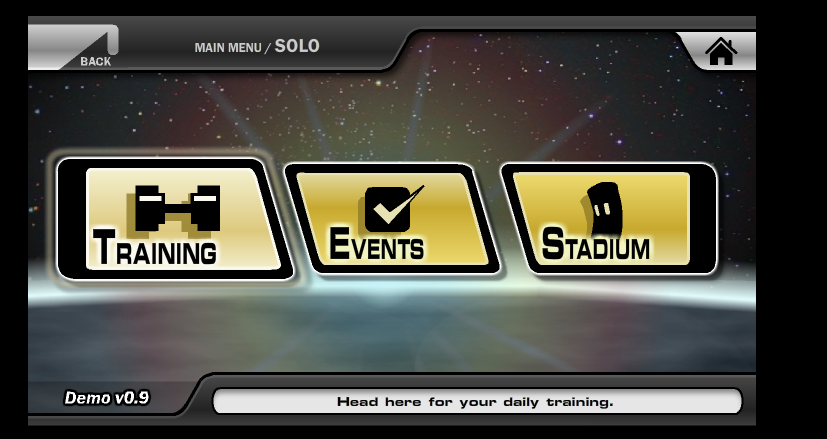
      Super Smash Flash 2 is a fighting Action based flash game developed by SSF2 developers. It is anon profit flash game which is published online by McLedogaming. This game is not entirely based on Super Mario Bros but it is much similar to this game. This game features different gaming character from different comic books and stories as well. You can play with Mario bros, Donkey Kong, Sword fighter, Robot and many more. You can play in Multiplayer mode which enables you to play with friends and random opponents online. You can also go on with SOLO levels which are merely single player based. Three different solo levels are available, Training, Events and Stadium. The vault options saves all the intros of game which can be accessed anytime. You can also export and import your game data such as Records, Controls and Unlocks.

      Download Super Smash Flash 2 Game for PC - Windows 7 XP 8 and MAC

      Download Super Smash Flash 2 Game for PC

      Super Smash Flash 2 Game Features :

      Super Smash Flash 2 game is a superb entertaining online game which has been patched out for desktop OS. It features more than different comic and gaming characters on different quests for win. You can read this game features below.
      Download Super Smash Flash 2 Game for PC
      • Multiplayer mode for playing online with more latency
      • Many old bugs have been fixed such as loading screen and many more
      • Better game controls, makes it easier for users to play online
      • No more often lag during game
      • Now the game exists after freezing for too long 
      • You can play like random characters during matches and levels 

      Download Super Smash Flash 2 Game for PC Windows XP 7 8 and MAC 

      Super Smash Flash 2 game is the second in this series, mini game. It has different game characters from Mario to Dragon Ball Z which makes it more exciting to play. So, if you are wondering how to download this gamer for PC and have no idea then follow my steps below.
      Download Super Smash Flash 2 Game for PC
      • First you have to go to McLeodGaming official website from here
      • Then you have to click on "Games" link in top menu
      • After that you can download the game by selecting the version
      • You have to click on respective OS download links to download this game
      • EX: Click on Windows link if you want to download SSF2 for PC and Laptop
      • After that the game will start to download and you have to save the ZIP file

      How to Install Super Smash Flash 2 Game on Windows PC

      Super Smash Flash 2 game is developed not just for online playing but as well for Desktop gaming. So, you can play this game on Windows, Mac and Linux operating platforms as well. After download the game file you can follow below steps to install it.
      • You have to extract the download .Zip file on your HDD
      • Then click on setup button and game will be installed 
      • After that you can click on game icon and start playing it happily!

      Tuesday, 21 April 2015

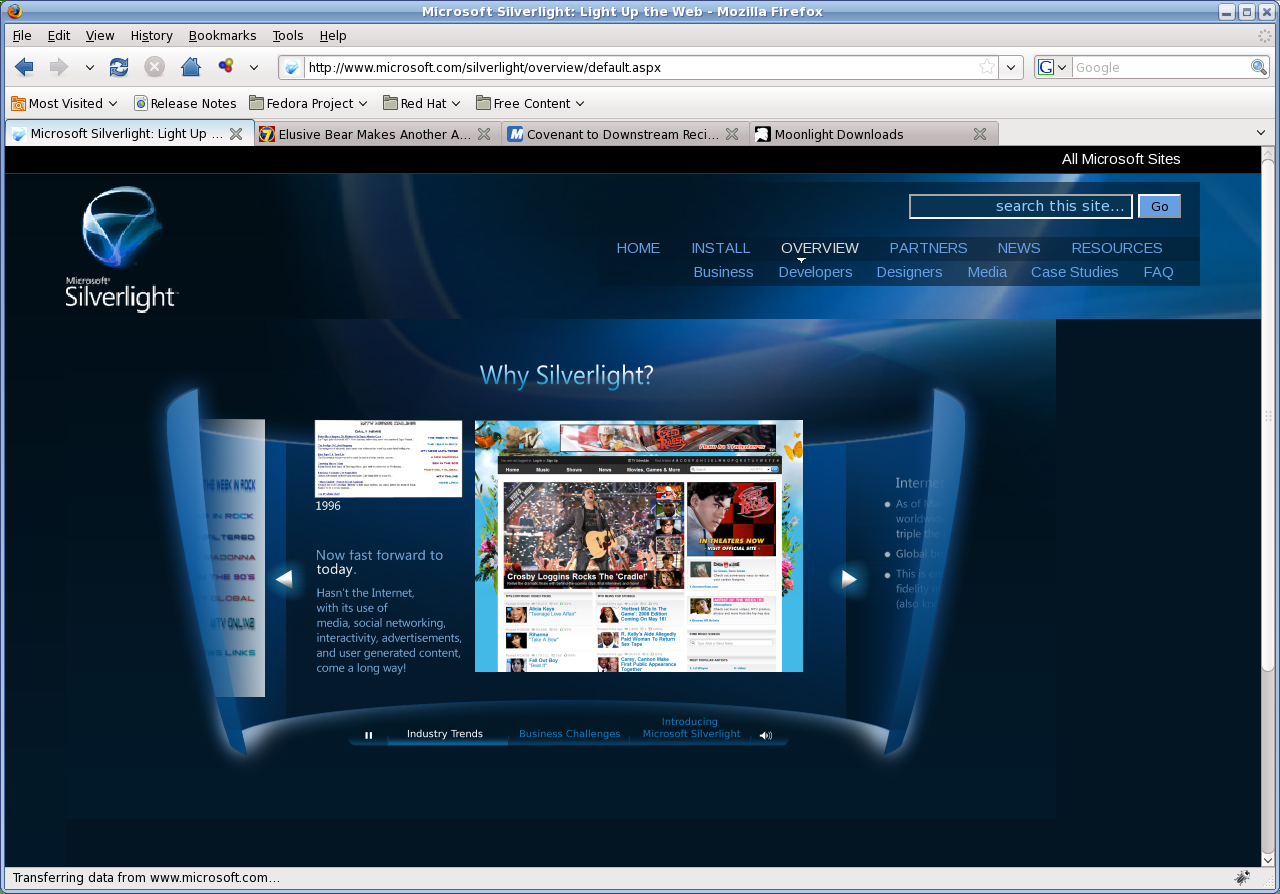
      Download Silverlight Offline Installer for PC and Laptop - Windows XP 7 8 and MAC

      Posted by Unknown
      Download Microsoft Silverlight Offline Installer : Microsoft Silverlight works to run Internet applications through its framework. It is creatively similar and has outstanding features like adobe flash player by Adobe. Silverlight plugin has been released different operating system browsers. It renders and plays different Scripts based on content, media and video on browsers. It currently supports all kinds of video streaming and watching websites, Multimedia, animations, Graphics and many more. It can be accessed and download for free from Microsoft official page, for Desktop OS and Windows Phone OS as well. It plays video sites such as YouTube, Vimeo much faster and loads quickly.

      Download Silverlight Offline Installer for PC - Windows 7 8.1 10

      Download Silverlight Offline Installer for PC
      You can play 3D and 2D games through web browsers at full response and controls without any error. It can be used to play games online, watch videos, stream MP3 music, Multimedia, Pictures and much more.
      It is run and developed by Microsoft, they have released 5 versions till now. Their last version was 5.1.30514 which is now discontinued on newly release Chrome browsers. That might be a sad part of Chrome users but for all other browsers it's still available and works perfectly.

      Microsoft Silverlight for PC Features

      It is a cost effective way to watch high quality video on different web browser on Windows and MAC OS. Silverlight has got so many features that has made it among the top apps for browser in 2015. You can check out its features below.
      Download Silverlight Offline Installer for PC
      • You can watch high quality videos on any website
      • It supports different programming models such as AJAX, VB, C#, Python and Ruby
      • Easily stream Media both on-demand on different OS 
      • Developers can create browser rich applications of users to interact and use
      • Get it for Windows Phone OS as well from marketplace today
      • They have other feature such as Deep Zoom, Pixel Shader, Pivot Viewer, IIS Smooth streaming

      Microsoft Silverlight System Requirements for Windows 

      • Windows: X86 , X64, X32 with 512 MB of RAM
      • Mac: Intel core Duo 1.83 GHz

      Download Microsoft Silverlight Offline Installer for 32 Bit and 64 Bit PC

      You can download and run the Silverlight offline installer on desktop browsers such as Windows and MAC OS. It is important to check whether your browser supports silverlight because Chrome has been discontinued after version 42. Most importantly, you can run it on Internet explorer, Firefox and Safari easily for different desktop OS.
      Download Silverlight Offline Installer for PC
      • First you have to download the Silverlight offline installer from here
      • Click on the link and save the file on your OS
      • Install Silverlight Offline Installer on your OS
      • Note that this Offline installer works for both platforms

      Download Silverlight for MAC

      • After downloading and saving the file on your OS
      • Now run the installer setup and locate where to install the Silverlight plugin
      • Then you will successfully installed Silverlight on your Windows or MAC OS

      Monday, 20 April 2015

      Download Microsoft .NET Framework 3.5 Offline Installer for PC Free [ Windows XP 7 8.1 10 ]

      Posted by Unknown
      Download Microsoft .NET Framework 3.5 Offline Installer for PC : Microsoft windows has become very successfully in the past decade and many new developers are coming forward with new applications. These newly developed applications are based on the .NET framework by Microsoft and it becomes necessary to have .Net Framework on our PC. To compute in a Cloud optimized with cross platform openness you have to use .NET. To be precise, .NET has become an vital part of personal computer for running different applications and common functions for them. It is used by developers to build comprehensive tools and Apps for users who can use it for their daily experience and much more.

      Download Microsoft .NET Framework 3.5 Offline Installer for PC

      Download Microsoft .NET Framework 3.5You can use the online installer and Offline as well but both have their features. As online works perfectly when you have online Internet connection but when you cannot access Internet. You can rely on offline installer who can setup and install the Framework without Internet but works perfectly as online installer.

      Also See :  Whatsapp for Nokia

       I have listed some of the applications which require .NET to function below.
      • Windows store Apps + Windows Phone Store Apps
      • Partners Cross Device Apps
      • IOT - Internet of Things
      • Core
      • Cloud and Web Apps
      • .NET Extensions and Data Access
      •  DI and IoC Containers
      • Open sources and Supports MS Official and many more
      If you have installed any pre release version of .Net Framework, Then you have to uninstall that version before running the new .NET 3.5 Framework Offline Installer on your PC windows. Also note that the .Net framework 3.5 client will contain all the resources and contains full framework which is similar to full package installer.

      Download Microsoft .NET Framework 3.5 for PC - System Requirements

      Before installing the .NET Framework 3.5 version you will have to check whether it is compatible to run on your system. I have listed the supported operating system requirements below. You must make sure that your computer is compatible with the given minimum requirements. If not, you cannot run and execute the file successfully.
      Download Microsoft .NET Framework 3.5
      • OS: Windows Server 2003, Windows Sever 2008, Vista and XP
      • Processor Recommended : 1GHz Pentium processor or Equivalent
      • Processor Minimum: 400 MHz Pentium processor
      • RAM Minimum: 96 Megabytes
      • RAM Recommended: 256 Mega Bytes
      • Hard Disk Space:  500 MB ( Space may vary)
      • Display Minimum: 800*600 (256 Colors)
      • Display Recommended: 1024*768 high color (32-bit)         
      Note: Does not require CD or DVD drive

      Install Microsoft .NET Framework 3.5 Offline Installer on PC

      After checking the system requirements, you can download the framework on your PC and Laptop. You can follow the below instructions to download and install it.
      Download Microsoft .NET 3.5 Offline Installer for PC
      • First you have to click on Microsoft .NET Framework 3.5 Offline Installer Download Link
      • Now save the download on your computer for installation
      • After downloading click on Installer to start installing .Net framework 
      • Now the .NetFX35Clinet.exe will start to install and you have to select the directory for it
      • You can follow on screen steps to successfully install it on your PC 
      • Wait till the installation is completely and then you can .NET FX 3.5 will work perfectly!

      Sunday, 19 April 2015

      Download Bubble Witch 2 Saga for PC and Laptop - Windows XP 7 8 and MAC

      Posted by Unknown
      Download Bubble Witch 2 Saga for PC : Bubble Witch 2 Saga game is developed by top Android developer King who has released many Android hit game such as Candy Crush and Farm Heroes Saga. Now after making Candy and Farm animals bouncing, it's time for you to make some bubble bouncing magic with this new Android game. In this game you will have to help a witch named Stella and her cats who needs to put out the dark spirits. You have to travel all the realm by bursting all bubbles you can in this awesome and exciting adventure game. It has a great Gameplay with really good game graphics. There are different improved game modes such as Single player mode where you can play all the ultimate levels completing the witch journey.

      Download Bubble Witch 2 Saga for PC - Windows and MAC

      Download Bubble Witch 2 Saga for PC
      The multiplayer allows joining with your Facebook friends and also share your scores with them. There are more than 60 magical levels at this time but they release 2 levels every week. You can easily sync this game with your Google play account save all the game info, data an levels. You can continue to play free and grow up in the leaderboard.Game controls are very easy and nee some skills to perform. You only have to set the mark where you want to spellbound and release the ball when you hit the speed gauge on screen. Each and every level you play will be rated on how well you performed and scored during that level.
      Also See : Showbox Download

      Bubble Witch 2 Saga Game for PC Features

       Bubble Witch 2 Saga is another installment in the Bubble with franchise by King. There are many different game features that you can experience along with really interesting gameplay and spell bounds.
      Download Bubble Witch Saga for PC
      • Different game modes to play with single player mode available
      • More than 60 magical levels to pay and each levels has great enjoyment
      • More importantly they add 2 levels every weak
      • You can use your Google plus account to save all your game data and levels
      • This game is really easy to play and most importantly its free to download 
      • Different tricks will be available in the game such as Booster and Magical spellbound 
      Also Check : Download Opera Browser for PC

        Download Bubble Witch Saga for PC and Laptop - Windows 7 XP 8

        Bluestacks is a perfect emulator which easily runs any Android game or app on PC. So, we will be using it to run this game on PC now.
        Download Bubble Witch Saga for PC
        • First you have to download the Bluestacks Android emulator for PC from here
        • Next install it on your or Laptop by following screen guide
        • Then search for "Bubble Witch 2 Saga" game using their search bar
        • Now select the game and click on install button
        • Then game will download and it will automatically start to install
        • Wait till the complete game installation is finished and icon appears in Apps Menu
        • Finally start the game from menu and enjoy playing!

        Download Bubble Witch 2 Saga Game for MAC OS 

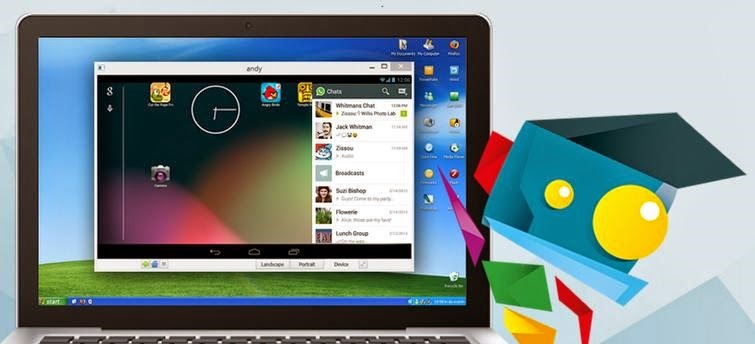
        Andyroid emulator can be used on both PC and MAC OS precisely. It can run any Android game on MAC very effectively. So, I will show you how to run this game on Mac using Andyroid emulator.
        Download Bubble Witch Saga for PC
        • First you will have to download the Andyroid Android emulator and Install it for MAC from here
        • Next you have to search for the game " Bubble Witch 2 Saga" and click to install
        • Game will be automatically download and start to install
        • Finally the game will be installed and you can see game icon in menu
        • You can start playing the game by double click on game icon from menu
        I Hope you successfully playing Bubble Witch Saga on Windows XP 7 8 Laptop or PC. If you face any issues while playing Bubble witch game on PC please let us know. we will help you as early as possible.

            Saturday, 18 April 2015

            Download Xender App for PC and Laptop - [ Android APK , Windows and iphone ]

            Posted by Unknown
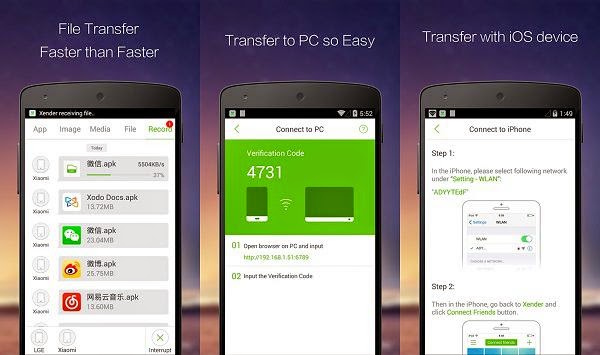
            Download Xender App for PC : Xender is app that allows you to share files and data easily. It can share and transfer files from any mobile device to PC or mobile device directly. It can also be used to transfer files on cross platform operating platforms such Android and IOS which makes it more interesting. To be precise, It shares more than just data and I will discuss it now. First you have to download this app and open it. So, to transfer file not two devices need to have Wi-Fi or Internet connection, One can use other as Hotspot protocol for file sharing. There are different categorize such as Apps, Images, Media, Files and Records which makes your work easier. This app has really well built UI design and User interface is simply pretty. When you click on Record, you can view what you've shared in the past with set of information with it.

             Download Xender App for PC - Windows and MAC

            Download Xender App for PC
            It has many additional options which can be accessed through "more" option below. It has a feature which duplicates a complete phone, so that you can move file from an old phone to new easily. You can send information to PC directly once you have connected it to PC and same is for Iphone. You can check statics which tells us all data you've shared, how much and at what speed you've shared files. Now moving towards Settings option, you can name your Xender sharing app similar to Bluetooth. You can select the storage option as Internal or SD card storage. There are some more settings such as Sound while sharing and sending that you might like.

             Xender File Transfer App for PC Features

            Xender is a free to use File transfer application that allows different smartphones users to transfer file. You can make use of this app to exchange different multimedia, Zip files and other necessary documents. It has great features that you can read below as well.
            Download Xender App for PC

            Features
            • You can send all kinds of multimedia files from Pictures, Files, Videos and Music
            • You can also transfer other files such as ZIP, .APK and Document files as well
            • You can transfer files in a extremely fast speed with Internet connection
            • You can use Group sharing which supports 5 devices at a single time
            • You can transfer files on cross platforms OS as well like Android to IOS
            • Support multiple OS and is released for various languages as well

            Download Xender App for PC Windows XP 7 8.1 

            Bluestacks is an Android to PC emulator which can be used to run any Android app or game on PC platform. As Xender app is not yet released for PC Windows, I will show you how to download it for PC using bluestacks. So, please follow my belwo steps.
            Download Xender App for PC
            • First you will have to download Bluestacks for PC from here
            • Then Install it on your PC by following on screen guides
            • Next you have to search for "Xender" app using their search bar
            • Now the app will show and select the corresponding app from list, click on install then
            • The app will be installed on your PC in sometime, after that it will appear in your Apps Menu 
            • Start the app from menu and enjoy sharing

            Download Xender App for MAC OS

            Andyroid emulator can run any Android game or App on both PC & MAC OS platforms easily. As most of us have MAC but we cannot run these Android games on it directly. So, I will show you how to download and install Xender app on Mac OS.
            Xender App Download
            • Firstly you have to download and then install Andyroid emulator from here
            • Then search for app 'Xender" and select the corresponding app 
            • Next click on install button and the app will start to install
            • The app will automatically be downloaded and then install on your MAC
            • After successful instillation, start the app and enjoy sharing with Xender!